En esta página
Esta página aún no está traducida al español. Se muestra la versión en inglés.
R2 Settings Menu
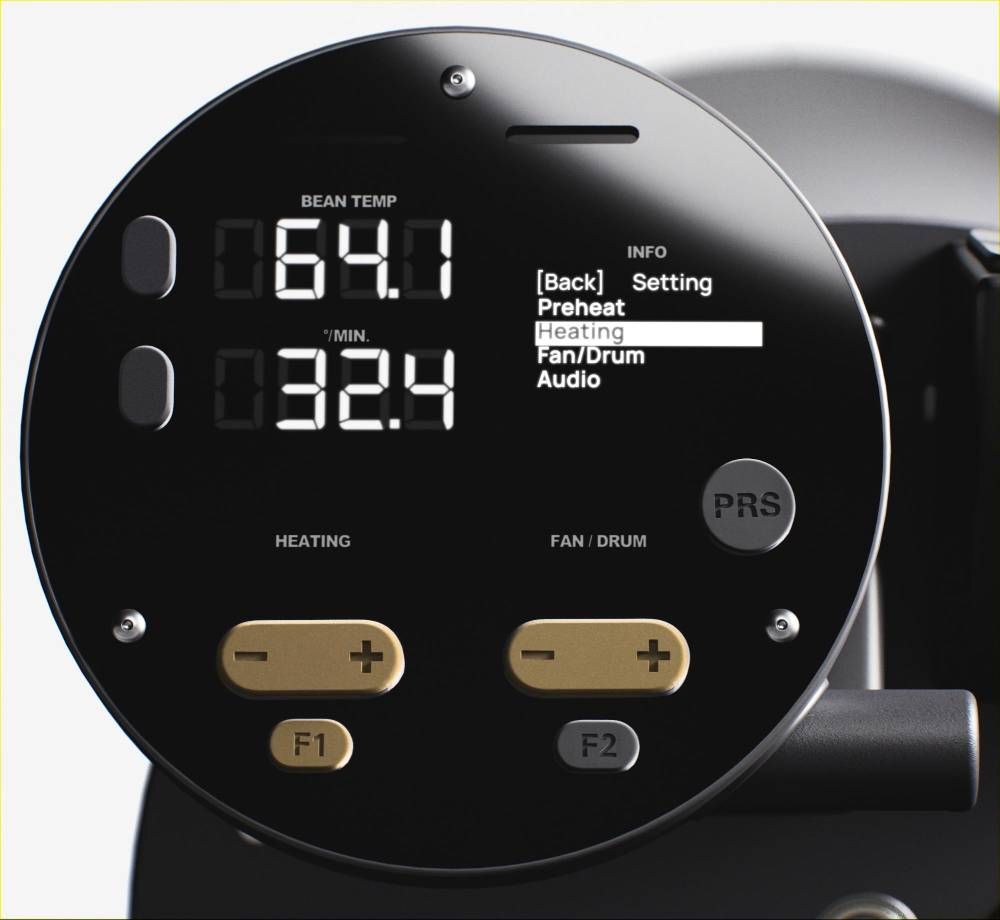
Accessing and Navigating The Menu
- Press F1 in Ready Mode to access the Menu.
- Press the Heating +/- Buttons to navigate to the different settings.
- Press the Heating - Button to go back and exit.
- Press the Fan/Drum +/- Buttons to change values.
Function List
The following list shows the function for each options in the Settings Menu:
- Preheat
- Starting Temperature for Preheating.
- Heating
- Initial Power setting.
- Fan/Drum
- Initial Fan and Drum speed settings.
- Audio
- Adjust the speaker volume.
- Temperature Units
- Toggle between Celsius and Fahrenheit.
- Weight Units
- Toggle between Kg and Lb.
- Time Zone
- TBD.
- Spotlight
- Adjust spotlight intensity.
- USB Mode
- USB RoasTime / SD Card, and Firmware Updates.